
Welcome back, everyone! In our last session, we conquered single-dimensional arrays, which gave us the power to store and search through long, flat lists of data. But let’s be honest—the real world isn’t always a flat list. Think about a chessboard, a spreadsheet, or the seating chart at a movie theater. Those are grids! They have both rows and columns. Today, we are taking everything you learned in Part 7 and expanding it into the second dimension. We are going to master Java Multi-Dimensional Arrays!
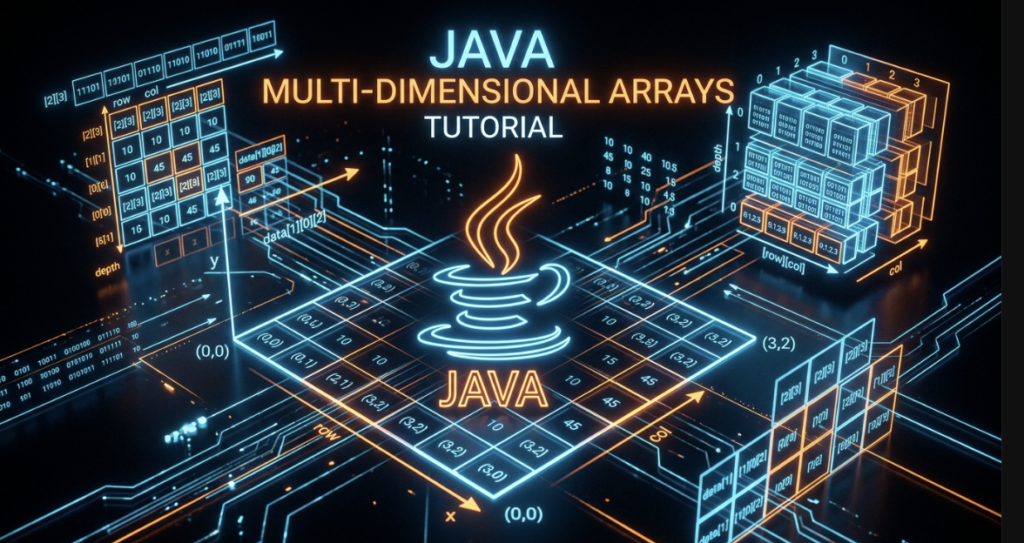
Table of Contents
- Why Go Beyond One Dimension?
- What Exactly Is a 2D Array?
- Declaring and Initializing 2D Arrays
- Accessing and Modifying Elements
- Traversing 2D Arrays with Nested Loops
- The Magic of Jagged Arrays
- Real-World Uses: Grids, Tables, and Matrices
- Common Matrix Algorithms
- Can We Go Beyond 2D?
- Visualizing 2D Memory Layout
- Code Walkthrough: Classroom Seating Grid
- Common Mistakes Beginners Make
- Best Practices in the Real World
- Performance Considerations
- Frequently Asked Questions (FAQ)
- Interview Prep Questions
- Test Your Knowledge (MCQs)
- Practice Coding Questions
- Hands-On Assignment
- Mini Challenge: Spiral Matrix Printer
- Summary and Cheat Sheet
Why Go Beyond One Dimension?
Imagine you’re building a booking system for a movie theater. The theater has 10 rows, and each row has 15 seats.
If you only knew how to use 1D arrays, you might try to create 10 separate arrays, one for each row. But how would you efficiently check if seat “Row 4, Seat 7” is available? It would be incredibly clunky.
What you really want is a single grid where you can just plug in two coordinates: [row][column]. This is the exact problem that 2D arrays solve! They take the concepts you already know and stack them, allowing you to build structures like:
boolean[][] seatMap = new boolean[10][15]; // true = booked, false = availableWith this, checking a seat is as easy as looking up seatMap[3][6] (remember, we always start counting at zero!).
What Exactly Is a 2D Array?
A 2D array in Java is conceptually a table. But under the hood, Java does something really clever. A 2D array in Java is actually an array of arrays.
Think of it like a filing cabinet. The cabinet itself is an array of drawers (the outer array). Inside each drawer is a folder full of individual files (the inner arrays).
2D array with 3 rows and 4 columns:

        col 0   col 1   col 2   col 3
row 0 [   1       2       3       4   ]
row 1 [   5       6       7       8   ]
row 2 [   9      10      11      12   ]
In Java syntax, you indicate this by using two sets of square brackets: int[][] grid.
Declaring and Initializing 2D Arrays
Just like with 1D arrays, there are a few ways to bring a 2D array to life.
Method 1: Declare and Create with Fixed Dimensions
int[][] grid = new int[3][4]; // 3 rows, 4 columns — all elements start at 0Method 2: Declare and Initialize with Literal Values
This is the fastest way if you already know what the data is going to be. Just nest your curly braces!
int[][] grid = {
    {1, 2, 3, 4},
    {5, 6, 7, 8},
    {9, 10, 11, 12}
};
Each inner {...} represents a single row.
Method 3: Build it Row by Row (The Jagged Approach)
int[][] grid = new int[3][]; // We know there are 3 rows, but we haven't decided the columns yet!
grid[0] = new int[]{1, 2, 3, 4};
grid[1] = new int[]{5, 6, 7, 8};
grid[2] = new int[]{9, 10, 11, 12};
Accessing and Modifying Elements
To grab or change a value, you just use two indices: array[row][column].
int[][] grid = {
    {1, 2, 3, 4},
    {5, 6, 7, 8},
    {9, 10, 11, 12}
};

System.out.println(grid[0][0]); // Prints 1  — the very first slot
System.out.println(grid[2][3]); // Prints 12 — the very last slot

grid[1][2] = 100; // Let's change the number 7 to 100!
System.out.println(grid[1][2]); // Prints 100
Remember This: It is always [row][column]. Row goes first, column goes second. It’s really easy to mix this up when you’re typing fast, so burn that order into your memory!
Getting the Dimensions
Because a 2D array is an array of arrays, getting the sizes works exactly like you’d expect:
System.out.println(grid.length);     // Prints 3 (The number of ROWS)
System.out.println(grid[0].length);  // Prints 4 (The number of COLUMNS inside row 0)
Traversing 2D Arrays with Nested Loops
To visit every single number in a grid, we use nested loops. We talked about these in Part 6, and this is where they truly shine. The outer loop goes through the rows, and the inner loop sweeps through the columns of that specific row.
int[][] grid = {
    {1, 2, 3, 4},
    {5, 6, 7, 8},
    {9, 10, 11, 12}
};

for (int row = 0; row < grid.length; row++) {
    for (int col = 0; col < grid[row].length; col++) {
        System.out.print(grid[row][col] + "\t");
    }
    System.out.println(); // Hit 'enter' after finishing an entire row
}
Common Mistake: Notice how the inner loop uses
grid[row].length? A lot of beginners just usegrid[0].lengthfor every row. While that works for a perfect square grid, it will completely break your code if you ever use a jagged array (which we’ll look at next!).
The Enhanced For-Loop
If you just want to read the grid (and you don’t need to change any values), the enhanced for-loop makes this code gorgeous:
for (int[] row : grid) {          // Grab a row (which is a 1D array!)
    for (int value : row) {       // Grab each value out of that row
        System.out.print(value + "\t");
    }
    System.out.println();
}
The Magic of Jagged Arrays
Here is a fun fact: Java doesn’t actually force your 2D arrays to be perfect rectangles. Because every row is technically an independent array object, each row can have a totally different length!
We call these Jagged Arrays.
int[][] jaggedArray = new int[3][]; // 3 rows

jaggedArray[0] = new int[]{1, 2};           // Row 0 has 2 seats
jaggedArray[1] = new int[]{3, 4, 5, 6};     // Row 1 has 4 seats
jaggedArray[2] = new int[]{7};              // Row 2 only has 1 seat!

for (int row = 0; row < jaggedArray.length; row++) {
    for (int col = 0; col < jaggedArray[row].length; col++) {
        System.out.print(jaggedArray[row][col] + " ");
    }
    System.out.println();
}
Why is this useful? Imagine you’re writing a program for a school. Classroom A has 30 students, but Classroom B only has 15. If you forced everything into a square grid, you’d waste 15 empty slots of memory for Classroom B. A jagged array lets you model real-world, irregular data perfectly!
Real-World Uses: Grids, Tables, and Matrices
Where will you actually use these? Everywhere!
- Game Boards: Tic-tac-toe (3×3), Chess (8×8), or Sudoku (9×9).
- Spreadsheets: Rows of customer data, columns of their names and emails.
- Images: Every photo on your phone is basically a giant 2D array of pixel color values!
- Math: Matrices used in machine learning and physics simulations.
// A simple Tic-Tac-Toe board
char[][] board = {
    {'X', 'O', 'X'},
    {' ', 'X', 'O'},
    {'O', ' ', 'X'}
};
Common Matrix Algorithms
Let’s look at a few classic operations you’ll likely run into on tests or in interviews.
1. Sum of All Elements
int[][] matrix = {
    {1, 2, 3},
    {4, 5, 6},
    {7, 8, 9}
};

int sum = 0;
for (int[] row : matrix) {
    for (int value : row) {
        sum += value;
    }
}
System.out.println("Sum: " + sum); // 45
2. Matrix Transpose
Transposing a matrix just means you flip it! Rows become columns, and columns become rows.
int[][] original = {
    {1, 2, 3},
    {4, 5, 6}
}; // 2 rows, 3 columns

int[][] transposed = new int[3][2]; // Now it's 3 rows, 2 columns!

for (int row = 0; row < original.length; row++) {
    for (int col = 0; col < original[row].length; col++) {
        transposed[col][row] = original[row][col]; // We literally just flip the indices!
    }
}
3. Diagonal Traversal
What if you want to add up the numbers that slice right through the middle of a square board?
int[][] square = {
    {1, 2, 3},
    {4, 5, 6},
    {7, 8, 9}
};

int diagonalSum = 0;
for (int i = 0; i < square.length; i++) {
    diagonalSum += square[i][i]; // The row and column indices are identical!
}
System.out.println("Diagonal sum: " + diagonalSum); // 1 + 5 + 9 = 15
Pro Tip: If the row index equals the column index ([i][i]), you are walking the main diagonal! You only need one loop to do this, not two.
Can We Go Beyond 2D?
Absolutely! Java supports 3D, 4D, and even 10D arrays. You just keep adding brackets: int[][][] cube = new int[3][3][3];.
A 3D array is great for things like rendering chunks in Minecraft (X, Y, and Z coordinates). However, 99% of the time, you’ll just be working with 1D and 2D arrays. But it’s cool to know the math just keeps scaling!
Visualizing 2D Memory Layout
To really drive home the concept that a 2D array is just an “array of arrays”, I put together this architectural layout. Notice how the outer grid is really just a bunch of arrows (references) pointing down to independent 1D arrays in memory!
Code Walkthrough: Classroom Seating Grid
Let’s build a fully working script for a teacher taking attendance. We’ll use a boolean[][] grid where true means the student is in their seat, and false means they skipped class.
import java.util.Scanner;

public class ClassroomSeatingGrid {

    public static void main(String[] args) {
        Scanner scanner = new Scanner(System.in);

        int rows = 3;
        int seatsPerRow = 4;

        // true = present, false = absent
        boolean[][] attendance = new boolean[rows][seatsPerRow];

        // Let's mark a few specific students as present!
        attendance[0][0] = true;
        attendance[0][2] = true;
        attendance[1][1] = true;
        attendance[1][3] = true;
        attendance[2][0] = true;
        attendance[2][1] = true;
        attendance[2][2] = true;
        attendance[2][3] = true;

        int presentCount = 0;
        int absentCount = 0;

        System.out.println("---- Attendance Grid ----");

        for (int row = 0; row < attendance.length; row++) {
            for (int col = 0; col < attendance[row].length; col++) {
                if (attendance[row][col]) {
                    System.out.print("[P] ");
                    presentCount++;
                } else {
                    System.out.print("[A] ");
                    absentCount++;
                }
            }
            System.out.println(); // drop to the next line for the next row
        }

        System.out.println("\nTotal Present: " + presentCount);
        System.out.println("Total Absent : " + absentCount);

        scanner.close();
    }
}
Output:
---- Attendance Grid ----
[P] [A] [P] [A]
[A] [P] [A] [P]
[P] [P] [P] [P]

Total Present: 8
Total Absent : 4
Common Mistakes Beginners Make
- Flipping the Coordinates: Writing
grid[col][row]by accident. Always think: (Row First, Column Second). - Hardcoding the inner loop: Using a specific number instead of
grid[row].length. If you ever switch to a jagged array, your code will instantly crash with anOutOfBoundsException. - Assuming perfect rectangles: Remembering that Java doesn’t enforce perfect grids will save you a ton of debugging headaches later.
Best Practices in the Real World
- Stick to
grid[row].lengthfor your inner loops. It guarantees your code adapts no matter what shape the data takes. - Use descriptive variable names! Instead of
iandj, userowandcol. It makes it instantly obvious what you’re tracking. - When printing out numeric grids, use
\t(tab) orprintfso that your columns actually align beautifully on the screen.
Performance Considerations
- Grabbing a piece of data like
grid[3][4]is actually doing two incredibly fast lookups in memory (first finding the row, then finding the column). It is practically instantaneous (O(1)). - However, traversing a massive grid with nested loops takes O(m × n) time. If you have a 1,000 x 1,000 grid, that nested loop is going to run a million times! Keep an eye on performance if your grids start getting enormous.
Frequently Asked Questions (FAQ)
Q1. Is a 2D array in Java truly a grid in memory?
Actually, no! In lower-level languages like C++, a grid is one giant solid block of memory. In Java, it’s an array of arrows pointing to other independent arrays scattered around the heap. That’s why jagged arrays work!
Q2. Can I create an array if I know the rows but not the columns?
Yep! Just leave the second bracket empty: new int[10][]. You can fill in the rows later.
Q3. How do I get the total number of elements in a 2D array?
There is no magic .totalSize property. For a jagged array, you’d have to loop through and sum up grid[row].length. For a perfect rectangle, you can just do math: grid.length * grid[0].length.
Q4. Can I use the enhanced for-loop for 2D arrays?
Absolutely. You just nest two of them! The outer one pulls out the 1D rows, and the inner one pulls the integers out of that 1D row.
Test Your Knowledge (MCQs)
Q1. Which syntax correctly declares a 2D array of integers?
a) int[2] grid;
b) int[][] grid;
c) int grid[2][2]; only
d) array2D grid;
Answer: b) int[][] grid;
Q2. What does grid[1][2] refer to?
a) Row 2, Column 1
b) Row 1, Column 2
c) The 1st and 2nd row combined
d) An invalid expression
Answer: b) Row 1, Column 2 (Don’t forget, we start at zero!).
Q3. In a jagged array, what is true about the rows?
a) All rows must have the same length
b) Rows can have different lengths
c) Only the first row can have a different length
d) Jagged arrays are not allowed in Java
Answer: b) Rows can have different lengths.
Q4. What does grid[0].length return?
a) The total number of elements in the array
b) The number of rows
c) The number of columns specifically in row 0
d) Always 0
Answer: c) The number of columns in row 0.
Q5. What is the time complexity of traversing an entire m × n 2D array?
a) O(m)
b) O(n)
c) O(m + n)
d) O(m × n)
Answer: d) O(m × n).
Practice Coding Questions
- Create a 4×4 2D array filled with values
1through16(row by row) and print it in a neat grid using\t. - Write a program to find the sum of each row and each column separately, printing both sets of sums.
- Write a program to find the absolute largest element in a 2D array, and print out its exact
[row][col]location. - Create and print a jagged array where row
icontains exactlyi + 1elements (e.g., row 0 has 1 element, row 1 has 2 elements, etc.). - Write a script to check whether a square matrix is symmetric (meaning it looks identical to its own transpose).
Hands-On Assignment: Tic-Tac-Toe Board Analyzer
Create a file named TicTacToeAnalyzer.java. Give this a shot:
- Declare a 3×3
char[][]board. Pre-fill it with a mix of'X','O', and' '(spaces) to simulate a game in progress. - Print the board in a clean, grid-like format.
- Write logic to check if any row is fully occupied by the exact same character (that isn’t a space!). This is how you detect a winner.
- Do the exact same check for the columns.
- Do the exact same check for the two diagonals!
Summary and Cheat Sheet
- A 2D array is literally just an array of arrays.
- You access elements using
array[row][col]. grid.lengthtells you the number of rows.grid[row].lengthtells you the number of columns in that specific row.- You must use nested loops to traverse a full grid.
- Jagged arrays happen when the inner row arrays have different lengths. It’s perfectly legal and highly useful for irregular real-world data!
- Because you are looping through rows and columns, the time complexity is O(m × n).
Your Quick 2D Array Cheat Sheet
| Operation | Java Syntax |
|---|---|
| Declare a Grid | int[][] grid = new int[rows][cols]; |
| Declare with values | int[][] grid = {{1,2},{3,4}}; |
| Access element | grid[row][col] |
| Total Rows | grid.length |
| Columns in Row i | grid[i].length |
| Make a Jagged Array | int[][] jagged = new int[rows][]; |
| The Main Diagonal | grid[i][i] |
Further Reading
- Want to see how Oracle explains it? Check out the Oracle Java Tutorials
- Dive deeper into the underlying architecture: Java Array Types Spec
Conclusion
Awesome job. You have officially upgraded your data skills into the second dimension! Everything you learned about single arrays easily maps onto these grids, provided you can comfortably manage your nested loops.
You now have the power to model spreadsheets, game boards, and matrices. Practice those matrix algorithms—they show up in coding assessments all the time!
Once you’re feeling good about 2D arrays, take a breather, and join me in Part 9. We are going to tackle how Java handles text with Strings and StringBuilders!
Ready to manipulate text like a pro? Check out Part 9 — Strings & StringBuilder!